When we announced BassBoom’s first alpha version, it was a conceptual version that focused on the basics. It revolved around playing an MPEG music file on your computer with a small native library that handles the task. We were experimenting on this idea by implementing various functions, with the most basic functions being:
- Playing music
- Pausing and stopping music
It was in early access stage when bugs were bound to exist across different parts of the library and the music player application. Since then, we’ve fixed many of these bugs that we’ve discovered during the early stages of the library, which were v0.0.x, v0.1.x, and v0.2.x.
These versions focused on implementing the most basic functions that the libmpg123 native library, which is a fast MPEG audio player and decoder library that supports the following MPEG versions and layers:
- MPEG 1.0 / 2.0 / 2.5
- Layer 1, 2, 3
The most common MPEG layer and version were MPEG 1.0, layer 3, which is commonly known as MP3, and the library was licensed under LGPL 2.1 that works on Windows, macOS, Linux, FreeBSD, and other operating systems. BassBoom utilizes this strength of the cross-platform library to give C# applications that run on Windows, macOS, Linux, and FreeBSD an ability to play music and sound files, while maintaining C# code.
Since BassBoom was conceptualized on September 15th, 2023, the following major milestones were achieved:
- BassBoom v0.0.1: Released on October 1st, 2023, after more than two weeks of conceptualization, was the very first publicly-available version of BassBoom that provided you with the most basic features.
- BassBoom v0.1.0: Released on May 31st, 2024, was the first version that provided ARM64 support for macOS and Windows. It also added support for radio stations that work on the MPEG stream.
- BassBoom v0.2.0: Released on September 16th, 2024, was the first version that supported parallel playing, which was useful for software that require it.
We are now very excited to announce that BassBoom is now entering a huge milestone in the history of the project! After a lot of patience, the time has come!
BassBoom v1.0

This version of the BassBoom application and the Basolia library is available as of today! Introducing you the all-new version of BassBoom that indicates stability and reliability of the library and the music player.
The stability of the v0.2.x versions is the core feature of BassBoom v1.0 where you’ll now be able to build audio-focused C# applications with high confidence. We have restructured the Basolia library to make it easier to use and to make the library more flexible for future versions coming ahead.
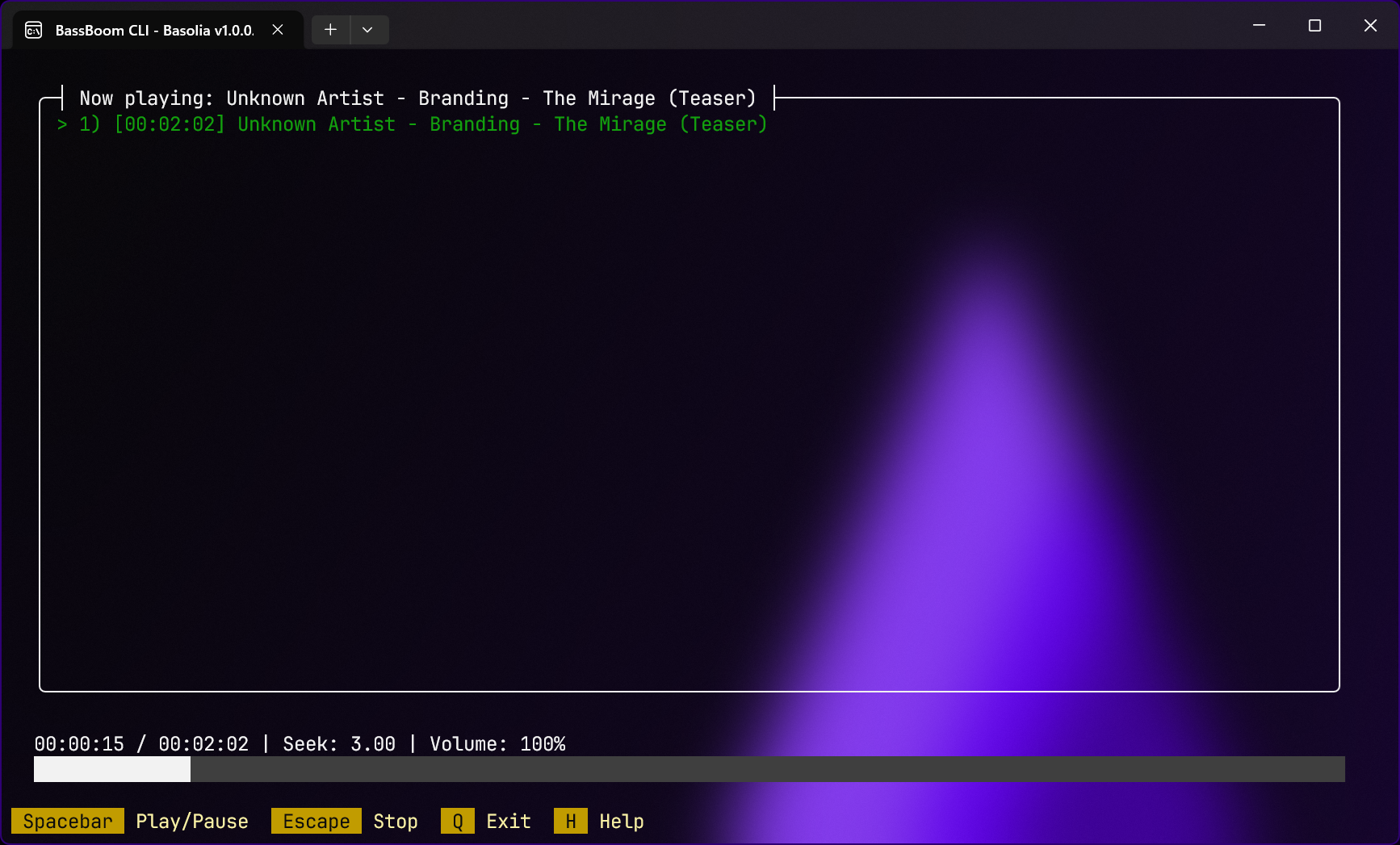
The music player has received important bug fixes that affected the player from adjusting the music position (seeking) to rendering the UI elements. It has also received general improvements when it comes to processing arguments that are passed to the application. The following arguments are rebuilt:
--path /path/to/music.mp3: You can specify a path to a music file or a radio station with this switch.--radio: Specifies whether to start the music player in radio station mode.
We have implemented a minimal music player, BassBoom.QuickPlay, which allows you to play an audio file with dotnet BassBoom.QuickPlay.dll --path /path/to/music.mp3. This player focuses on the most basic features with the ability to stop the player by pressing Q on your keyboard.
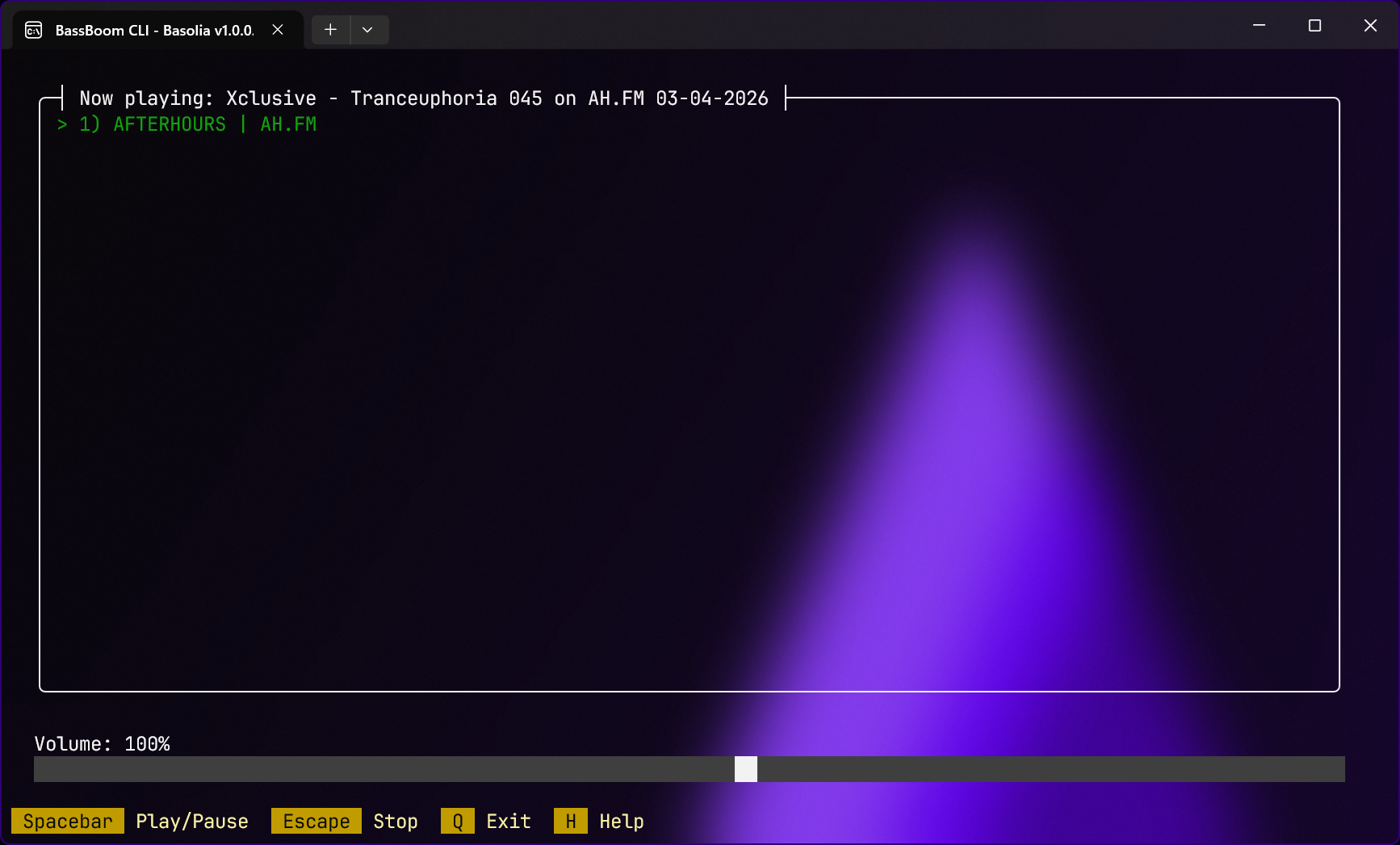
The radio player has been improved with support for passing the radio station address to the radio player. When you have your favorite radio station, and you have its link, you can pass --radio and --path https://radio.station.com/live to the application to make it automatically open your desired radio station.
The radio station player has seen consistencies with the design that was improved in the music player, which maintains one identity for the appearance.
We have also made a minimal radio station player, BassBoom.QuickRadio, which allows you to play a radio station with dotnet BassBoom.QuickRadio.dll --path https://radio.station.com/live. This minimal player also has the same set of features as mentioned above for the player.
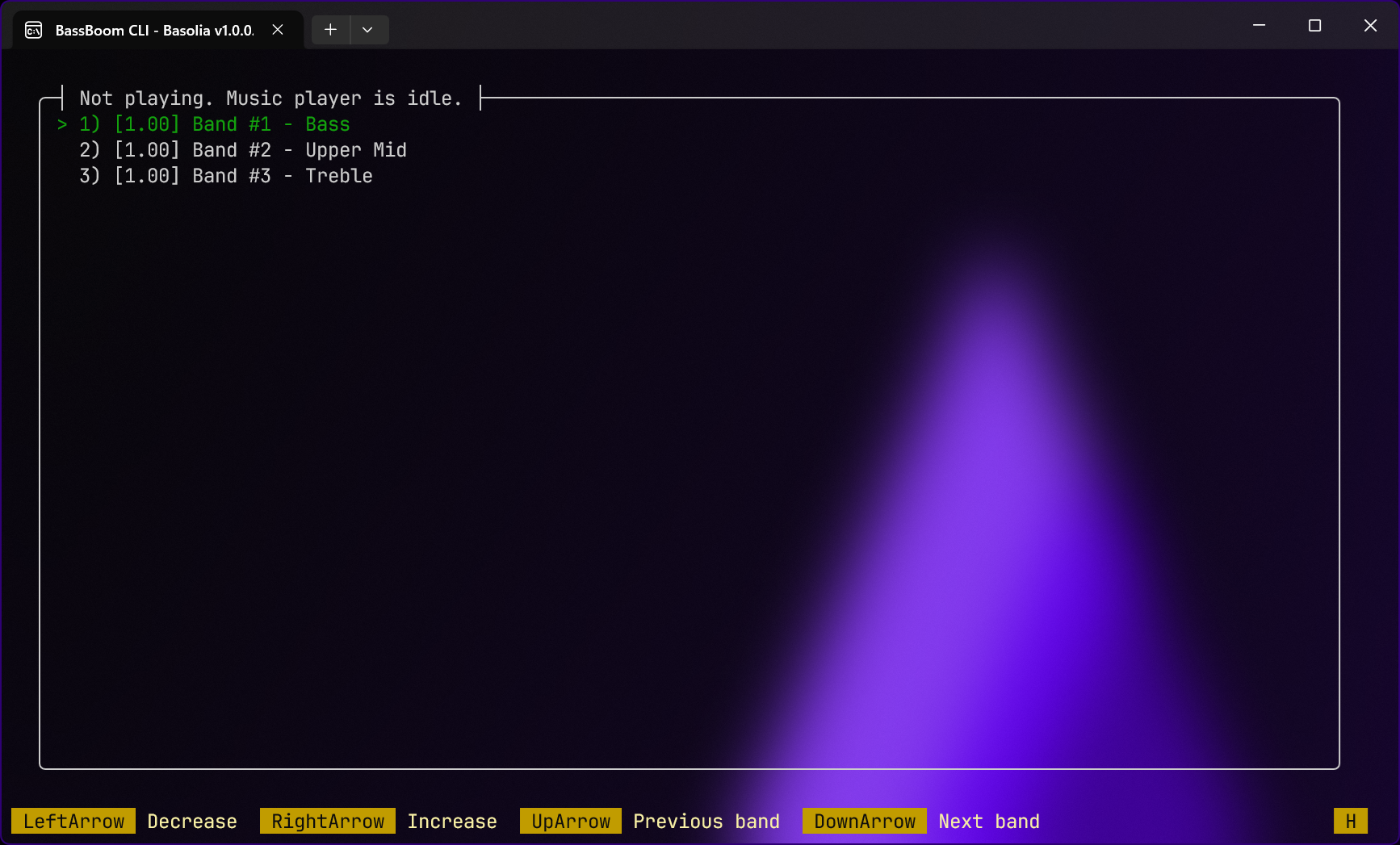
The equalizer has also become easier to use by filtering out the device-specific equalizer bands, leaving only the three essentials:
- Bass equalizer band: Low-frequency content, such as kick drums and bass instruments
- Mid equalizer band: Mid-frequency content, such as voices, pianos, and guitars
- High equalizer band: High-frequency content, such as hi-hats and hand percussion
The device-specific equalizer bands vary from device to device, and we understand that this can create clutter when selecting equalizer bands, so we’ve hidden them from view, but you can show them by pressing D on your keyboard if you have a device that supports such bands.
Installing BassBoom and Basolia
To install BassBoom as an application, read the manual here. However, if you’re an application developer and want to integrate BassBoom v1.0 to your project, read the manual here.