Last year, we have introduced the Windows installer method of installing Nitrocid on Windows systems with the modern .NET runtime installed. This made installation of Nitrocid easier than never before, as we keep finding ways to ensure that user experience, in general, gets improved across updates to Nitrocid and other projects as part of our broader goal. However, there was a major omission in which, even if Nitrocid ran without any addons installed, the Windows installer mandates addons to be installed.
The Chocolatey installation method provides you with two packages: the full Nitrocid installation with addons, and the lite installation without any addons installed. Earlier, we used to use the loose binary file extraction method to install Nitrocid to your Windows system. However, recent changes to the Chocolatey packaging method were made so that we use the Windows installer file, since it supports quiet installs.
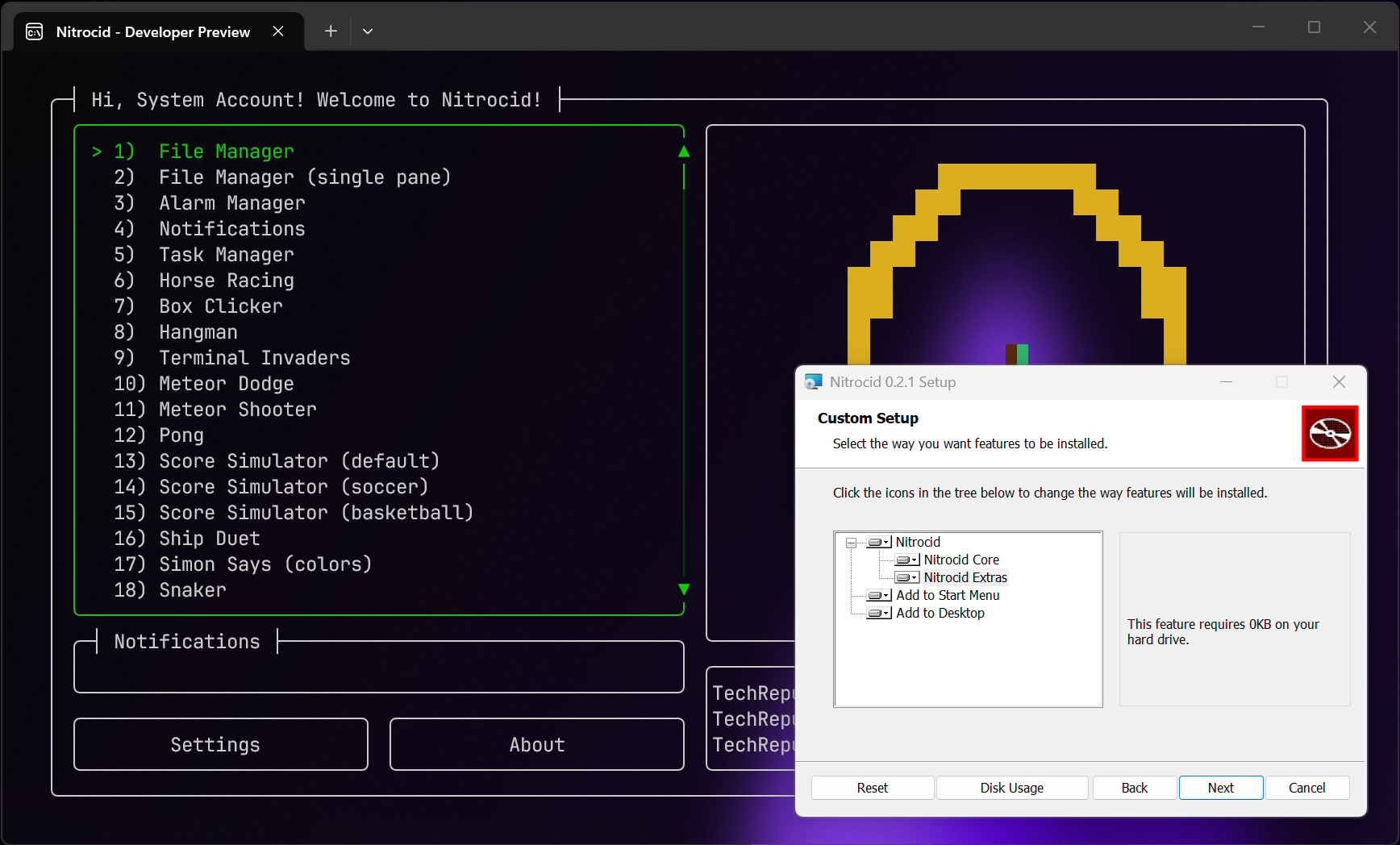
So, we have finally managed to make the Windows installer more modular by introducing a separate installer component that allows you to choose whether to install the addons or not. This allows you to either choose a minimal installation or a full installation. Additionally, you can choose whether or not to install the Nitrocid shortcut to your desktop and/or your start menu.
The GUI for the installer has been changed to let you finally do this, which you can see above.
In addition to that, the installer bundle, which we are always distributing since last year, now accepts an extra parameter that allows younto choose whether to exclude the addons or not. Using the NitrocidLite=1 directive at the end of the command-line, you can now ensure that the silent installation of Nitrocid will only install the core Nitrocid files without the addons, and Chocolatey packaging will be updated at the same time as we release new versions of Nitrocid.
In the next incremental version of Nitrocid v0.1.0 and v0.2.0, as well as the upcoming major version (v0.2.1), we will include this feature to the Windows installer packages for those versions of Nitrocid, and this is part of our effort to make sure that we provide improved user experience when it comes to installing Nitrocid. We will release the two incremental versions as early as June 12th for you to be able to benefit from Terminaux 8.5 and its added features.