Since Nitrocid 0.1.0 was released in March 2024, we started working on polishing the simulated operating system by making it easier to use and accessible to many people. We’ve been making interactive textual user interfaces to achieve this goal, and one of the efforts is The Nitrocid Homepage, which allows you to launch applications without having to remember the command itself. Earlier, Nitrocid only focused on command-line apps, with some interactive TUIs that could only be launched by a command.
Nitrocid 0.2.0 brought many new features that we’ve introduced to make it easier to use the simulated operating system, including the enhanced and customizable homescreen and lockscreen, to give you more options for personalization. This version has also brought performance-related improvements, as well as promising ones that will make it easier for you to use Nitrocid. Two-factor authentication, Chatbot AI, Widget Canvas API, and other new features were introduced to increase your productivity and to give you many customization options.
The upcoming version of Nitrocid has seen a tech preview that allowed you to see the basic architecture of how this version would technically work, such as changes to the API and restructuring, as well as several updates to Terminaux. Since the release of the tech preview, we were working on adding new features while making promising improvements, such as fixing design issues and long-term bugs. This release candidate is powered by the new Aptivi Development Toolkit that allows easier building with a variety of scripts, written in Python.
We have reached the stage where we are now ready to announce the huge milestone of Nitrocid 0.2.1, and this isn’t an ordinary one.
Nitrocid 0.2.1 RC - Flaming Speed
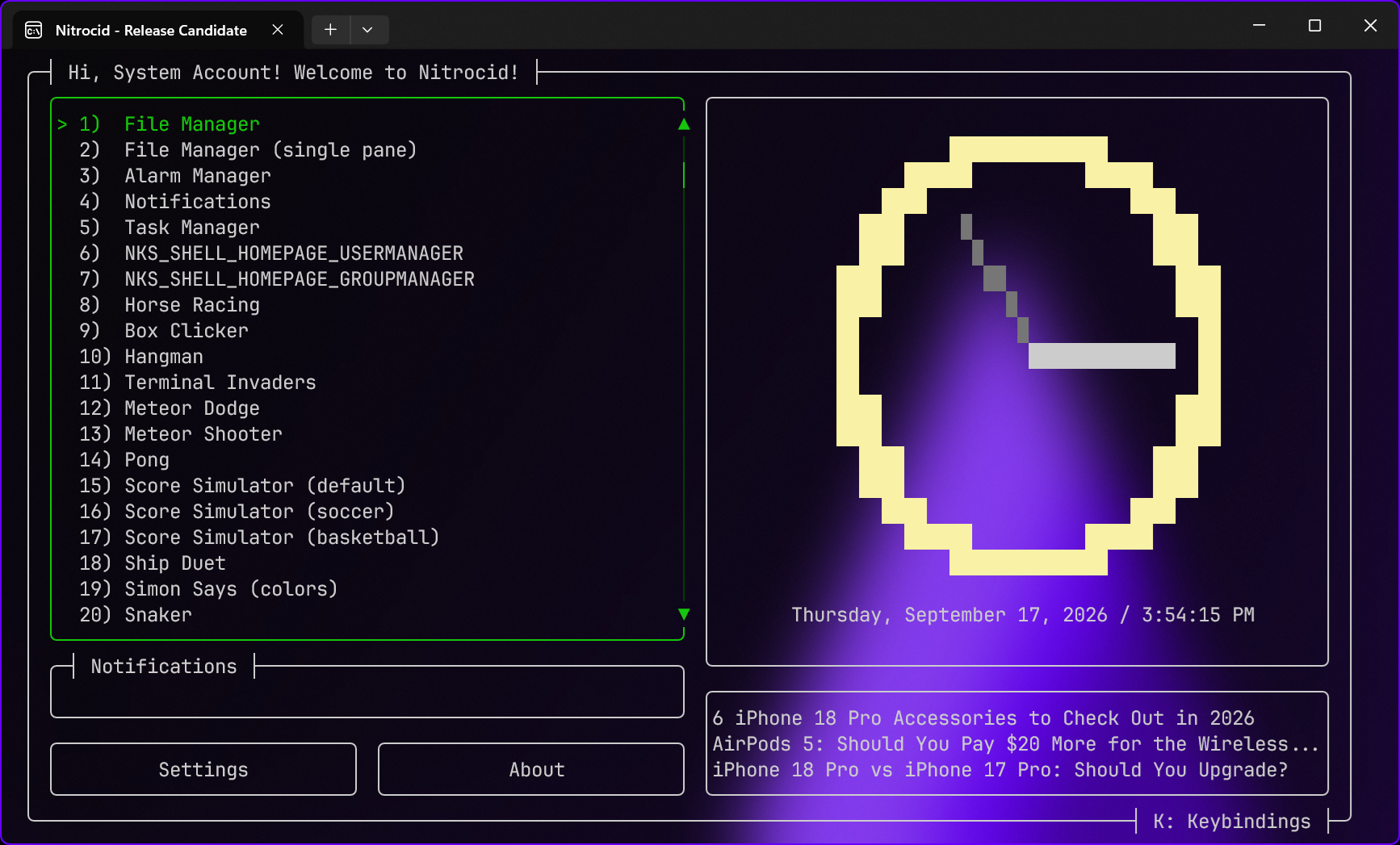
Nitrocid 0.2.1 Release Candidate shapes the foundation of what will eventually be the final version of Nitrocid 0.2.1 expected to be released November 5th.
Improved The Nitrocid Homepage
You can now have a more fluid experience with The Nitrocid Homepage! You won’t have to wait until all the RSS feeds load successfully, but you can navigate the homepage while the RSS feeds are still loading. This is part of our commitment to make sure that Nitrocid keeps running smoothly, with many bug fixes to be done across different parts of the kernel. Since the homepage was first introduced in 0.1.1, we were working hard to make it smoother and more fluid, with such improvements.
This improves user experience for those who have an unstable connection or no internet connection. Such users can benefit from this performance improvement.
We’ve also added consistent scrolling experience to scroll through tens of options, including the arrow buttons that move the highlighted choice up or down by a single click. Mouse wheel can now scroll through options quicker, while you can double-click on an item to open it. The notifications count can also be seen at a glance, so that you can see how many notifications waiting for you to read. Clicking on it allows you to get a list of notifications in a separate TUI.
Multiple feeds in RSS TUI
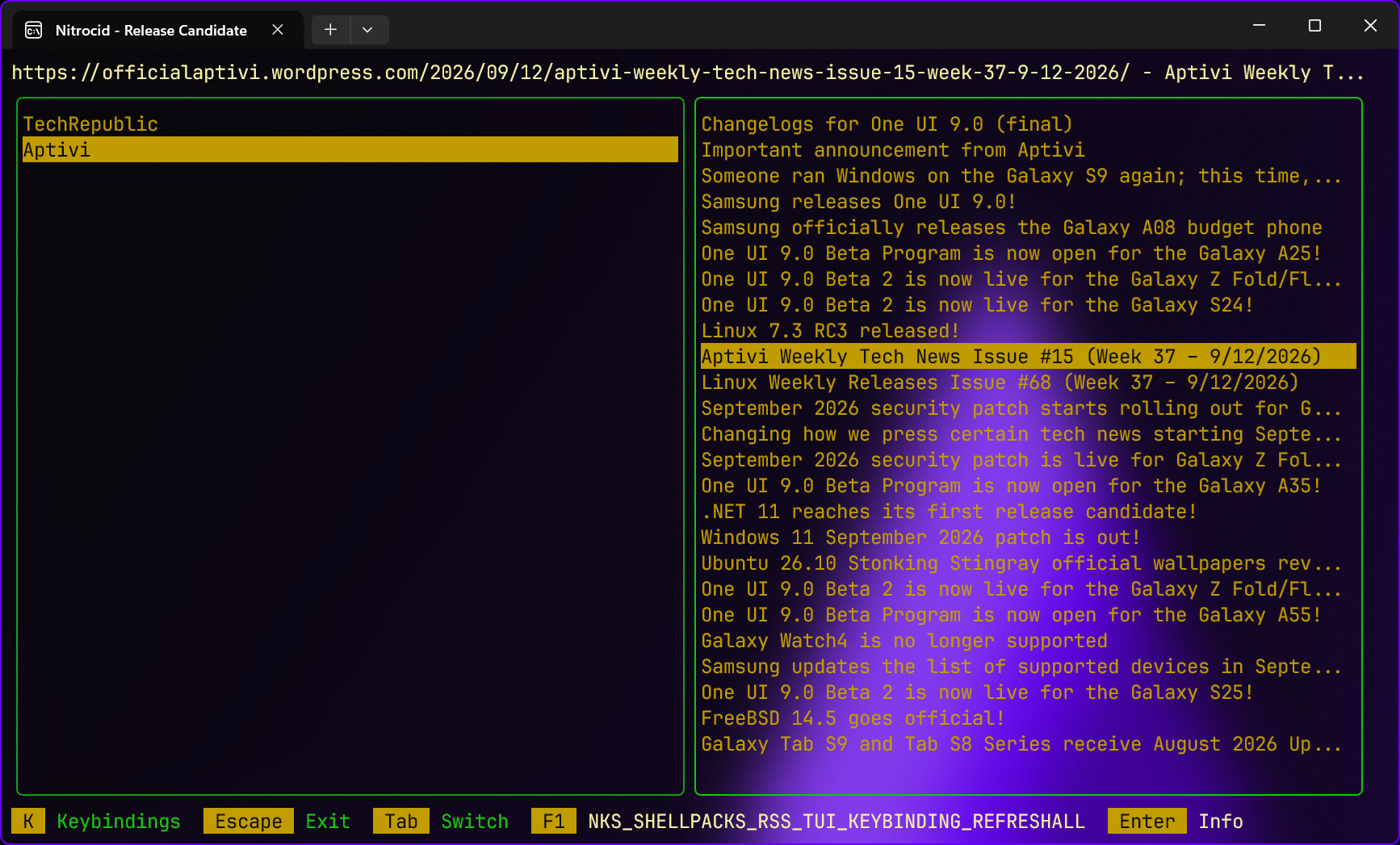
Earlier, the textual user interface for the RSS reader was very limited and only supported a single feed source, while listing available articles to read. Also, it didn’t allow more than a single feed to be added, and the only thing you were allowed to do was to read articles.
Starting from 0.2.1, the RSS TUI has gained multiple advantages, including the ability to read articles from more than one RSS feed. You can add more than a single feed by a single keypress and a URL, and the RSS TUI will do the rest of the work. This way, you’ll be able to get access to articles from different sites without having to exit the TUI.
We’ve not only added a feature where you can refresh a single feed that was chosen to get the latest articles, but you can also refresh all feeds to get more up-to-date news, especially for tech news, from all the feeds. Just add an RSS feed link to the RSS TUI, such as https://officialaptivi.wordpress.com/feed, and the TUI will do the rest.
POP mail is back!
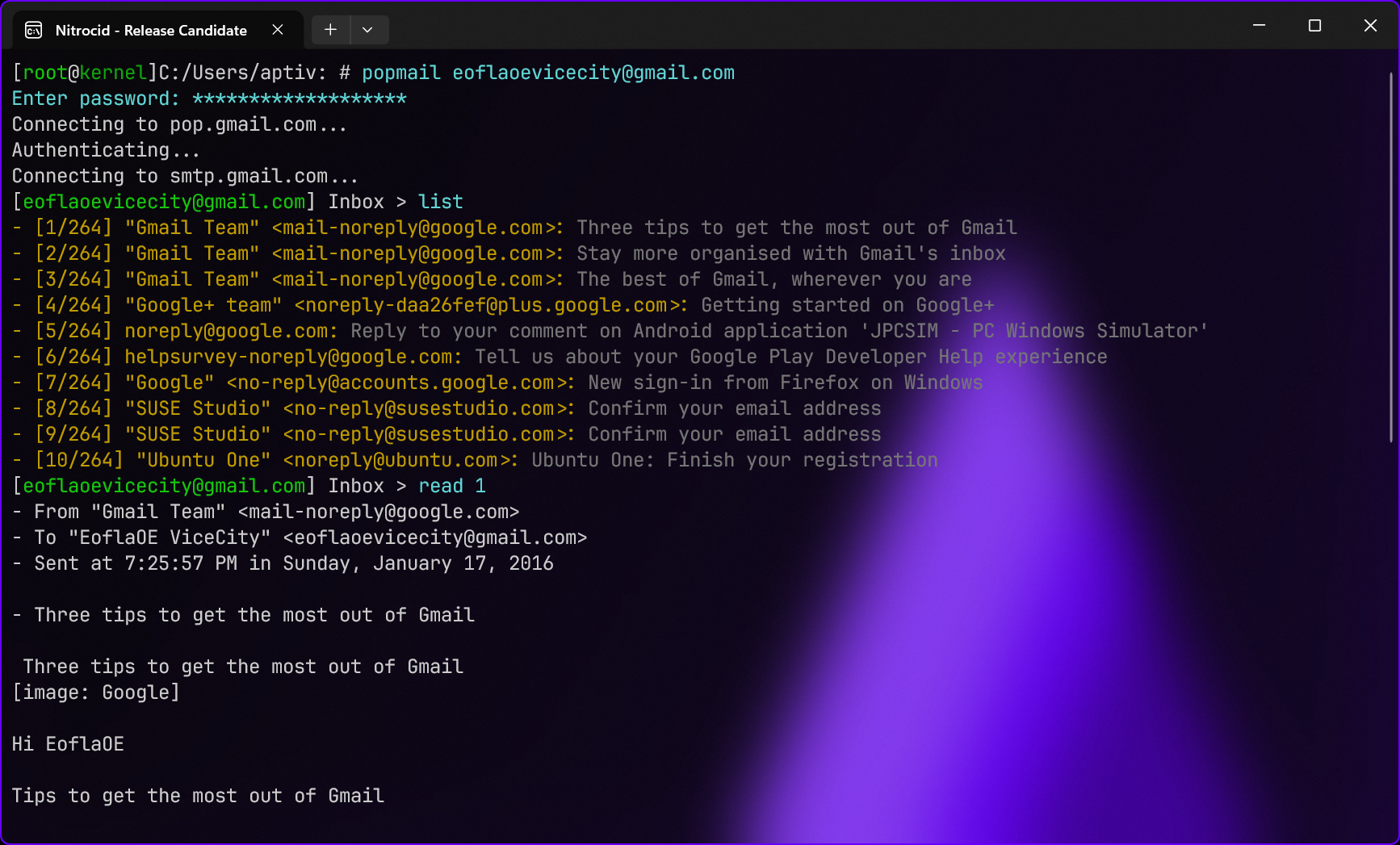
In an earlier version of Nitrocid when we were still in early access, we removed POP mail as it caused Nitrocid to be unusable in ARM systems, but that was back when we supported Mono installations in Linux systems. As we took that out in Nitrocid 0.1.0 as part of modernization process, we wanted to bring POP mail back. However, due to unexpected events that happened, we weren’t able to incorporate it to feature releases of Nitrocid.
Now, we are so happy to announce that you can finally use POP mail! You can use your e-mail address to sign in to your mailbox using the POP3 protocol instead of IMAP and to read messages, as well as sending them in both encrypted and unencrypted formats.
You can use the popmail command to get started. Just enter your username and your password (or your application password in some providers like Gmail), and you’ll be able to check your messages with this protocol. This works separately from the IMAP mail shell, which is the default protocol when you use mail.
Availability
Nitrocid 0.2.1 RC is now available, starting October 8th, on the following platforms:
- WinGet (Windows)
- Chocolatey (Windows)
- Arch Linux AUR (Linux)
- Launchpad PPA (Linux, Ubuntu only)
- Manual download (Windows, macOS, Linux, FreeBSD)
To install Nitrocid 0.2.1 RC, or to upgrade from 0.2.1 Tech Preview or 0.2.0, visit this manual page for platform-specific instructions.
For mod developers, the NuGet package will be available on the official NuGet.org repository under the following versions:
- Nitrocid.Base (
0.2.1-rc) - Nitrocid.Core (
0.2.1-rc)
For installation instructions, visit this manual page to install or upgrade Nitrocid NuGet packages.